Notepads Printing: Options, Uses, and Ordering Guide
TLDR: For most notepads printing orders, start with how the pad will be used. Choose a compact size for giveaways or quick notes, a mid-size pad for desks and meetings, or letter size for forms and detailed work. Favor an uncoated writing surface, leave most of every sheet open for handwriting, and choose 25 sheets for lighter distribution or 50 sheets for longer use. Before ordering, download the selected printer’s template and verify its live bleed, file, quantity, proofing, turnaround, and shipping requirements.
Notepads printing looks simple until a logo, checklist, contact information, writing lines, paper choice, and binding edge all have to coexist on one small page. The best pad is not necessarily the largest or most decorative option. It is the one that gives the user enough room to complete a specific task without fighting the printed design.
That makes the intended use the first ordering decision. A pad for grocery lists needs a different shape from a meeting pad, and an appointment form needs more structure than a general memo sheet. Decide what someone should write before choosing the dimensions, stock, or artwork.
Start with the notepad’s job
A general desk pad should provide a generous blank writing area with restrained branding. A giveaway pad can be smaller and more visibly branded because portability and recognition matter. A working form may need labeled fields, checkboxes, lines, or a short sequence of prompts.
- Desk notes: prioritize usable writing area and a size that remains convenient beside a keyboard or telephone.
- Meetings: provide room for a date, subject, action items, and several lines of notes.
- Appointments: use clearly labeled fields for the customer, date, time, service, and follow-up details.
- Order or intake forms: arrange fields in the same sequence employees normally collect information.
- Event handouts: keep the pad compact enough to carry and make any sponsor information secondary to its practical use.
- Client gifts: use polished but restrained branding so the pad remains useful after the initial interaction.
If the piece only needs to deliver a fixed message, a card may be more economical and easier to distribute. Consider a cardstock product insert for package instructions or a business card format for information meant to be carried rather than written on repeatedly. A notepad earns its place when multiple detachable writing sheets are central to the job.
Choose a size that fits the task
One current provider example lists five notepad sizes: 3.5 × 8.5 inches, 4 × 6 inches, 4.25 × 5.5 inches, 5.5 × 8.5 inches, and 8.5 × 11 inches. These are provider-specific options rather than universal industry promises, but they illustrate the practical range from slim list pads to full working sheets.
| Example size | Practical role | Main layout concern |
|---|---|---|
| 3.5 × 8.5 in. | Lists, counters, narrow workspaces | Keep columns and writing lines wide enough to use comfortably. |
| 4 × 6 in. | Short notes, handouts, compact desk pads | Limit the number of printed fields. |
| 4.25 × 5.5 in. | Memo pads and portable office notes | Reserve a clear central writing area. |
| 5.5 × 8.5 in. | Meetings, estimates, detailed checklists | Use the extra space for hierarchy rather than oversized branding. |
| 8.5 × 11 in. | Forms, project notes, detailed worksheets | Organize the sheet so users can scan and complete it quickly. |
Shape matters as much as area. A narrow pad naturally supports lists, while a broader page works better for paragraphs, sketches, or fields arranged in columns. Confirm the available orientation and backing edge through the live product configuration and matching template; do not assume every size can be rotated or produced in every arrangement.
Select paper for writing, not merely appearance
The individual sheets of a notepad are ordinarily paper rather than cardstock. Cardstock may appear in the construction as the backing board, but using it for every page would create a substantially different and bulkier product. One trade printer describes customizable pads with chipboard backing and separates its notepad range into Premium Opaque and Linen categories.
Uncoated paper is a flat, matte paper category, according to Domtar. That surface characteristic makes it a logical starting point for a piece intended to be written on, but it does not guarantee identical results with every pen, pencil, marker, or ink. If the writing instrument matters—for example, employees always use a particular gel pen—ask for a physical paper sample or production proof and test that exact combination before committing to a large order.
Premium opaque versus linen
A smooth premium opaque sheet is the straightforward choice when the pad’s priority is everyday office use, small printed fields, and visual simplicity. Linen introduces visible or tactile texture, making it a presentation choice for branded stationery or client-facing pads. Texture can also change how fine type and delicate graphic details appear, so keep the design clean and assess a proof rather than assuming it will reproduce like a smooth sheet.
As one current configuration example, 4over lists 60 lb and 70 lb Premium Opaque stocks, while its Linen Notepads page lists a 70 lb Linen stock. Both pages describe no-coating configurations. These specifications belong to that provider and should be checked again when ordering.
Decide between 25 and 50 sheets
A 25-sheet pad makes sense for event distribution, short campaigns, welcome kits, or forms that may change soon. It uses less material per pad and is less bulky, which can matter when pads are packed with other items. A 50-sheet pad is better suited to desks, recurring appointments, ongoing service work, and gifts intended to stay in use longer.
Both Premium Opaque and Linen examples in the researched product range offer 25- and 50-sheet configurations. Availability elsewhere may differ. When comparing quotes, confirm whether the stated price refers to individual pads, total sheets, sets, or cartons. A low pad count is not necessarily a low total quantity if each pad contains more sheets.
Design every sheet around handwriting
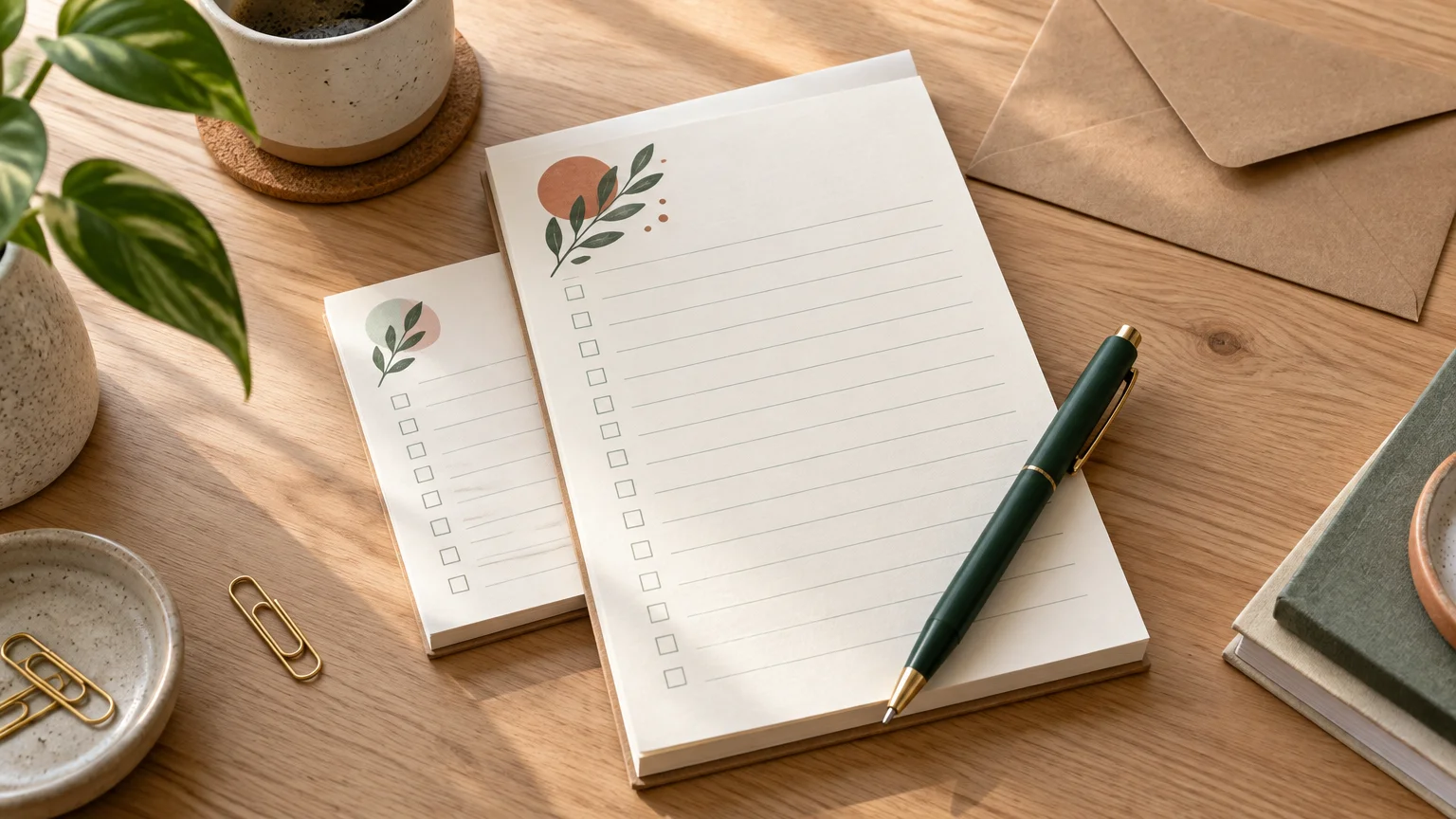
Every printed element consumes writing space, so begin with the functional fields and add branding afterward. A practical general-purpose layout might place a small logo and contact line at the top, leave a broad open area in the center, and put a web address or short reminder near the bottom. For structured pads, use labels and rules that guide the user without making the page feel crowded.
- Keep logos away from the main writing area.
- Use light rules or checkboxes that remain visible without competing with handwriting.
- Give labels enough room for realistic answers, not just ideal short ones.
- Repeat essential contact details, but avoid filling every corner with promotional copy.
- Use sufficiently clear type for fields that must be read quickly.
- Check whether any critical content sits near the trim or the edge where sheets are attached.
- Print a draft at actual size and write on it before approving the layout.
Full-color printing does not require full-page color coverage. The sampled Premium Opaque and Linen products list 4/0 printing, meaning four-color process printing on one side and no printing on the reverse. A restrained color header often leaves a more practical writing surface than a dark background. If you want the reverse printed or need a different configuration, verify that capability with the selected printer rather than assuming it is included.
Understand backing and construction
Chipboard backing gives the stack support for handling and writing, especially when the pad is not resting on a full desk surface. The researched provider confirms chipboard backings for its customizable notepads. However, that statement alone does not establish the adhesive method, attachment edge, perforation, or tear behavior. Ask the printer directly if any of those construction details affect your application.
This is also where notepads differ from rigid promotional cards. If recipients need to retain one durable reference piece rather than remove many disposable sheets, a cardstock postcard-style handout may fit the job better. For a broader view of related commercial print formats, Printiverse can serve as a next stop after the physical product has been defined.
Prepare artwork for the selected printer
Do not build the final file from a generic size alone. Download the printer’s exact template for the chosen product, dimensions, and orientation. 4over, for example, maintains a dedicated notepad template library. The correct template should identify the final trim, required bleed, safe area, and any product-specific restrictions.
Requirements vary. On its Linen Notepads page, 4over specifies 300 dpi, CMYK, 0.125 inch of total bleed—0.0625 inch on each side—and recommends PDF while also listing JPG, EPS, and TIFF. Those figures should not be applied automatically to another printer. Follow the live instructions attached to the product you are actually buying.
Adobe’s guidance for producing print-ready PDF files recommends checking bleed and margins, addressing low-resolution images, selecting print-appropriate color settings, and following the printer’s requirements. Before export, also confirm that fonts are embedded or otherwise handled as requested, images are linked correctly, and no notes or hidden draft elements remain in the file.
Notepads printing order checklist
Specifications displayed online can change, and production time is only one part of the schedule. For example, the researched Premium Opaque and Linen pages list four- and seven-business-day turnaround options, but those are provider-specific and should be rechecked for the exact configuration. Shipping time, file review, proof approval, weekends, and possible corrections may extend the calendar.
- Define the pad’s exact writing task and intended recipient.
- Select dimensions and orientation based on where the pad will be used.
- Choose the paper category and request a sample when texture or pen behavior is important.
- Choose 25 or 50 sheets—or the provider’s available equivalent—based on expected use.
- Confirm backing, attachment edge, print sides, and coating configuration.
- Download the live template for the exact product and size.
- Prepare artwork using the specified bleed, safe area, color mode, resolution, and file format.
- Print a full-size office draft and complete the form or write a realistic note on it.
- Check minimum quantity, total pad count, sheets per pad, proofing method, and replacement policy.
- Allow time for artwork review, production, and shipping rather than relying on production turnaround alone.
Choose the format before requesting a quote
A reliable notepad order starts with the writing task, not a paper-weight menu. Choose a slim pad for lists, a compact pad for short notes or giveaways, a mid-size pad for meetings, or a letter-size pad for detailed forms. Use an uncoated paper option as the practical baseline, select texture only when it supports the presentation, and keep the printed design subordinate to the space people need for writing.
Once that format is settled, request comparable quotes using the same dimensions, stock, sheet count, pad quantity, print configuration, proofing level, and delivery destination. Then verify the live template and construction details before submitting artwork. That process prevents an attractive design from becoming an awkward notepad—and makes pricing from different printers much easier to compare.